Prompts and Pixels: Choosing the Right AI Tool for AI Image Generation
Updated: Jul 11, 2025
Published in Generative AI

A pixel is worth a thousand words and presentation matters more than ever.
One area in which current generative AI (GenAI) technologies excel is in image generation. Today’s AI models are sophisticated enough to generate entire scenes from single words like “cat.”
This gives us unprecedented ability to not only create custom images but to animate them as well, sometimes with a single click.
In a sea of choices, however, the choice of which tools and technology to choose can be overwhelming. Particularly because in an AI-powered world, tool selection is the first step of expressing creative vision.
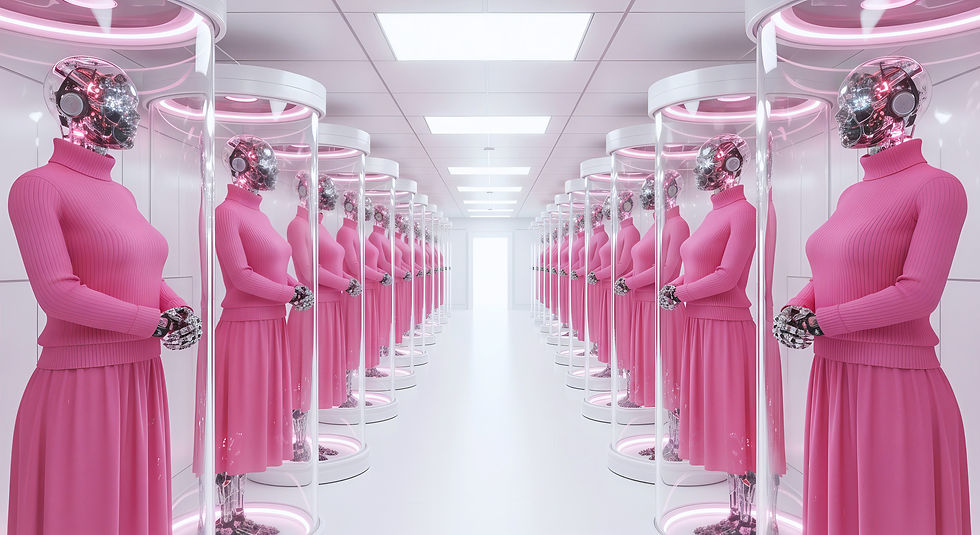
The cover image for this article is a prime example of the incredible realism achievable with AI, and it’s special for multiple reasons. This striking image, generated and then animated using one of the AI tools we’ll explore, achieves a superb level of photorealism. It also thoughtfully represents two biological conditions that are underrepresented in both traditional media and AI training datasets. The woman on the left displays heterochromia (differently colored eyes), and the woman on the right has vitiligo. This showcases AI’s capacity for nuanced and inclusive representation.
Image Generation Comparison: Seeing the Difference Between AI Tools
To illustrate the contrast between tools I used the same prompt, “red blood cell,” with both Google Whisk and MidJourney, which are two of the frontrunners in AI image generation tools.
MidJourney Result:

Google Whisk Result:

As you can see, the tools produced images with completely different styles. It’s important to note that these stylistic differences reflect the default settings on these tools. Both can be prompted to generate different styles; however, they do maintain their respective strengths. None of the outputs have been edited: these are the exact results with no upscaling, added filtering, or resizing.
Keep in mind that these tools aren’t as cut and dry as this comparison suggests. Sometimes MidJourney shocks me with the accuracy of its outdoor scenes, and sometimes Whisk’s stylistic choices surprise me. But what I’ve outlined here is generally true and serves as a useful guideline for tool selection.
MidJourney: When You Want Visual Poetry
As shown by the results above, MidJourney is optimized for artistic expression and visual impact. While known for its distinctive artistic flair, newer versions (V7.0 and beyond) also offer impressive realism and granular control over styles. This makes it best for creative presentations, marketing campaigns, and artistic storytelling.
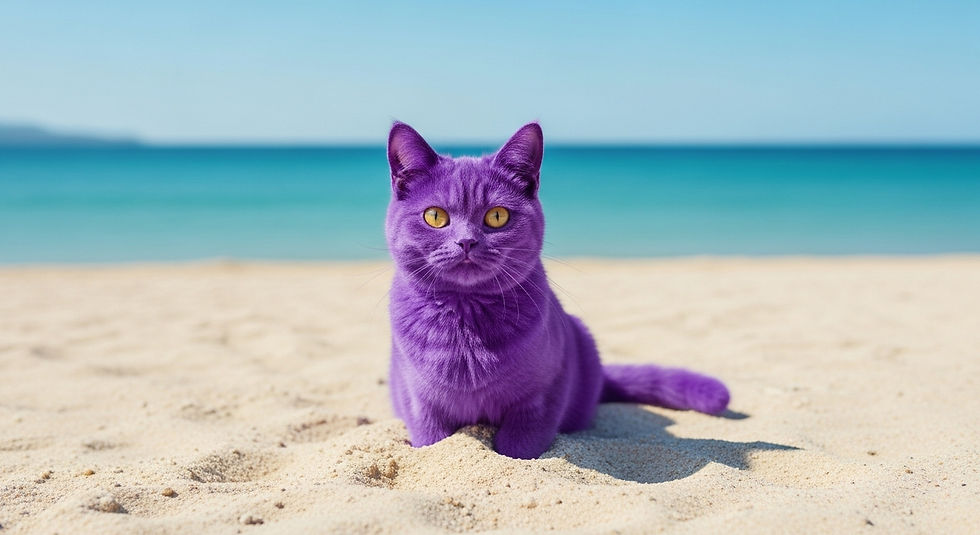
How it works: Simply type a text prompt like “purple cat on a beach” and press enter.

Google Whisk: When You Need Photorealistic Clarity
The cover image you saw at the beginning of this article? That was created using Google Whisk. As shown by the results above, Google Whisk is optimized for realism and accuracy. This makes it best for training materials, product demonstrations, and educational content.
How it works: Whisk uses both text and image prompting. Text prompting is the same as with MidJourney: you type a description and press enter. It also offers image prompting which allows you to upload images for subject, scene, and style, removing the need for complex text prompts.
Bringing Images to Life: Animation Capabilities
Both platforms also allow you to animate your generated images.
MidJourney: To animate any image, hover over it and click animate. You can choose motion settings (Auto/Manual, Low/High), with low motion as the default. The platform creates 5-second videos and also allows you to upload and animate images created outside of MidJourney.
Google Whisk: Similar to MidJourney, hover over any image and click animate to create 8-second videos.
In terms of processing speed, MidJourney often creates videos faster while Whisk typically generates images faster. Both allow videos to be downloaded as MP4s, and Whisk also exports animations as GIFs.
Choosing Your Tool
When faced with a choice, these two are excellent options, especially if the desire to animate images is important to your workflow. However, there are other tools on the market worth considering.
ImageFX is Google’s free image generation tool that uses an earlier AI model (Imagen 3 vs Imagen 4). While the AI model in Whisk (Imagen 4) creates sharper and more realistic images, there are still days when I revert to ImageFX when I want slightly less realism. ImageFX does not currently have video capability.
ChatGPT users have access to advanced image generation directly inside the chat interface using GPT-4o image capabilities, which remember your conversation and let you refine images through back-and-forth chat.
Pricing and Access
MidJourney requires a $10 per month subscription with additional higher pricing tiers for increased usage.
Google Whisk is free. You get 10 videos per month and generous daily limits for image generation. Those with Google AI subscriptions get higher limits.
ImageFX is available free of cost.
ChatGPT requires a ChatGPT subscription for image generation access.
Geographical Availability: It’s important to note that these tools have varying geographical restrictions. Google Whisk is available in 100+ countries but is notably not available in India, Indonesia, the EU, and the UK. MidJourney appears to be more globally accessible, though users should check availability in their specific region.
Image Management
All of these tools offer searchable libraries for storing images. Whisk automatically creates project folders, while MidJourney allows you to organize manually. ChatGPT puts all images inside a library folder automatically. ImageFX’s shortcoming was that it saved images outside of folders, and despite being searchable, it became difficult to maintain them. Whisk solved this by allowing you to delete images as needed.
Important Considerations
Your Creative Agency
As with all GenAI, there is the risk of over-dependence on the AI. You’re probably saying how is that possible if the AI is required to create the images. Yes, the AI is required, but so are you.
Low effort prompts like “cat” hand over the creative vision to the AI. GenAI allows you to use your imagination, so use it. Rather than “cat” maybe say “a Turkish Angora with white fluffy fur and blue eyes outside on the patio.” The key here is to use your imagination.
While defaults and simple prompts work to get you started, when it comes to executing a creative vision for more formal projects, detailed sophisticated prompts will still be required to have finer control over outputs. This is important because even though some experts think prompting with text will eventually be replaced by voice instruction, you will still need to be able to describe what you want in detail using the correct terminology. That will be one of the distinctions between productivity and craft.
Using Tools Responsibly
When you use these tools, there’s still the possibility of seeing inappropriate outputs. When that happens, each platform has feedback and reporting mechanisms available to report them. As citizens, it’s important that we report these images before simply clicking regenerate.
The Bigger Picture
We’re still in the early days of GenAI content creation, but these tools are already changing how we create and communicate. The key isn’t finding the “best” AI platform: it’s understanding which tool aligns with your specific goals.
Whether you choose the artistic flair of MidJourney or the photorealistic precision of Google Whisk, you’re no longer limited by stock photo libraries or expensive video production. You have the power to create exactly what you envision: animated and ready for artistic expression, presentations, social media posts, or whatever you choose.
The question isn’t whether AI will change how we create visual content: it already has.
Now, what will you create?
Join the Conversation
"AI is the tool, but the vision is human." — Sophia B.
👉 For weekly insights on navigating our AI-driven world, subscribe to AI & Me:
Let’s Connect
I’m exploring how generative AI is reshaping storytelling, science, and art — especially for those of us outside traditional creative industries.
About the Author
Sophia Banton works at the intersection of AI strategy, communication, and human impact. With a background in bioinformatics, public health, and data science, she brings a grounded, cross-disciplinary perspective to the adoption of emerging technologies.
Beyond technical applications, she explores GenAI’s creative potential through storytelling and short-form video, using experimentation to understand how generative models are reshaping narrative, communication, and visual expression.